Modern Full-Stack React Projects
Build, maintain, and deploy modern web apps using MongoDB, Express, React, and Node.js
- Code examples available at: github.com/packtpublishing
Title: Modern Full-Stack React Projects
Author: Daniel Bugl
Pub date: June 2024
Publisher: Pact Publishing Ltd.
ISBN: 978-1-83763-795-9
Language: English
Original language:
Pages: 763
Weight:
Height:
Width:
Cover:
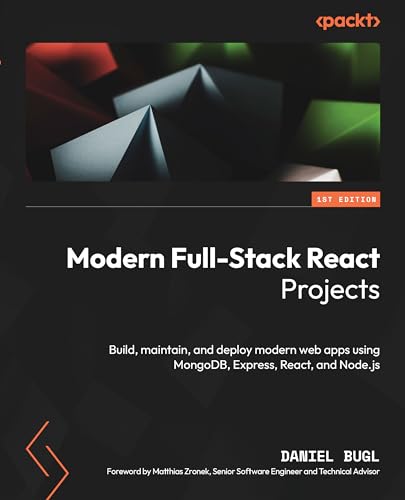
Table of Contents
- Part 1: Getting started with full-stack development
- [[#Ch01 Preparing for full-stack development]]
- [[#Ch02 Getting to know Node.js and MongoDB]]
- Part 2: Building and deploying our first full-stack application with REST API*
- [[#Ch03 Implementing a backend using Express, Mongoose ODM, and Jest]]
- [[#Ch04 Integrating a frontend using React and TanStack query]]
- [[#Deploying the application with Docker and CI/CD]]
- Part 3: Practicing development of full-stack web applications
- [[#Adding authentication with JWT]]
- [[#Improving the load time using server-side rendering]]
- [[#Making sure customers find you with search engine optimization]]
- [[#Implementing end-to-end tests using Playwright]]
- [[#Aggregating and visualizing statistics using MongoDB and Victory]]
- [[#Building a backend with a GraphQL API]]
- [[#Interfacing with GraphQL on the front using Apollo client]]
- Part 4: Exploring an event-based full-stack architecture
- [[#Building an event-based backend using Express and Socket.IO]]
- [[#Creating a frontend to consume and send events]]
- [[#Adding persistence to Socket.IO using MongoDB]]
- Part 5: Advancing to enterprise-ready full-stack applications
- [[#Getting started with Next.js]]
- [[#Introducing React server components]]
- [[#Advanced Next.js concepts and optimizations]]
- [[#Deploying a Next.js app]]
- [[#Diving deeper into full-stack development]]
Ch01: Preparing for full-stack development
Key concepts
- Motivation to become a full-stack dev.
- Companies try to reduce the gap between frontend and the backend. Using technologies such as server-side rendering frontend devs are becoming deeply integrated with the backend.
- Getting the most out of this book.
- Tryout the technologies introduced in this book so you can follow the instructions but do not hesitate to learn the alternative tech stacks on later. Web is forever changing and you should be able to adapt and learn new tools and concepts if you are to become proficient and versatile web developer.
- Setting up the dev environment.
- Install VS Code and following extensions:
- Docker (by Microsoft)
- ESLint (by Microsoft)
- Prettier (by Prettier)
- MongoDB for VS Code (by MongoDB)
- Create a main directory for projects in the book and a subdirectory for each of the chapters
- Setup a project with Vite v5.0.0 (book version)
- Setup ESLint and Prettier to enforce the best practices and code style
- Setup Husky to make sure we commit proper code. Even though we have ESLint and Prettier that will point to mistakes or best practices, we might miss some of the errors when committing the code that is invalid.
- Install VS Code and following extensions:
Personal thoughts
There are few alternatives to Vite. Bundlers like Webpack, Rollup, and Parcel. The problem is lacking experience for development servers. First they must bundle all our code together before serving it to the browser. Vite natively supports ESM (ECMA Script module) standard, requires very little configuration to get started. Downside of Vite is that it can be hard to configure certain more complex scenarions with it. For full-stack development with SSR (server side rendering) there is a Next.js, which is a React framework, also supports a development server out of the box.
Related to environment setup. There are few more steps author wants me to follow but those are mostly related to Prettier and ESLint configuration. To save myself some time i would waste on typing. I will just read through without noting the exact configuration. If future reader is interested you can find config files inside the github repository by following the link to github repository for chapter 1. Also, important note: i will install latest versions since some of the dependencies recommended by the author are deprecated in their respective versions.
Questions, concepts to explore
- Check out the Husky. Is it even worth having as an additional dev dependency?
Chapter summary
First chapter introduced requirements for successfully set up the project by enforcing the code standards and consistent style. ESLint, Prettier and husky with commit-lint.
Examples or code snippets
While different version should not be an issue, note that some steps might work differently with different versions. Before moving forward, install the following:
- Node.js v20.10.0
- Git v2.43.0
- Visual Studio Code v1.84.2
- Code examples for the chapter: github.com/chapter01
- Code in action video: youtube.com/video
- I have setup the project by running
npm create vite@latestsince some dependencies recommended by the author are deprecated in their respective versions. Follow official installation instructions forVite,ESLint, andPrettier
# create and change into chapter directory
mkdir -p "book modern_fullstack_react/ch1"
cd "book modern_fullstack_react/ch1"
# create project in current chapter dir
npm create vite@latest .
# select React and vanilla Javascript when prompted
# to define a new script in the package.json using a CLI
npm pkg set scripts.lint="eslint src"
npm pkg set scripts.check="prettier src --check"
npm pkg set scripts.format="prettier src --write"
# for the rest of npm-pkg commands run
npm help pkg
References or additional reading
- nodejs.org/docs - Node.js documentation
- git-scm.com/docs - Git documentation, reference manual and "Pro Git" e-book
- mongodb.com/official_website - MongoDB Resources, documentation, downloads...
- docker.com - Containerized applications and microservices
- prettier.com - Opinionated code formatter
Ch02: Getting to know Node.js and MongoDB
Key concepts
- Writing and running scripts with Node.js
- Similarities and differences between Javascript in the browser and in Node.js
- Docker, a platform for containers
- MongoDB, a document based, NoSQL database
- Accessing the MongoDB database via Node.js
Personal thoughts
Node.js is built on V8, the javascript engine used by chromium-based browsers like google chrome, brave, opera and vivaldi. Firefox runs SpiderMonkey, javascript engine developed by Mozilla. On top of the engine is the environment where the code will execute. Even though javascript will run the same way in both environments, the actual environment provides some additional API's. While Node.js have different modules enabling various backend services and interaction with operating system, browsers have it's own Web API's and objects like document or window.
In the browser, javascript is event-driven and code runs because of user interactions. On the server side, i/o operations such as reading and writing files, and network requests, are handled asynchronously so we can handle multiple requests at once, without having to deal with threads or multiprocessing. In Node.js libuv is responsible for assigning threads for i/o operations while developers have access to single runtime thread for writing code.
Synchronous code is put directly on the call stack and executed by the event loop in the same order. Asynchronous code stores the instance of that operation, together with a callback, in a queue. When queue is cleared callback function is executed and again, can either execute synchronous or asynchronous code.
You can use the Loupe tool to visualize the inner workings of the Call Stack, web APIs, Event Loop, and Callback/Task Queue: http://latentflip.com/loupe/
Docker enables the packaging and execution of applications within containers, which are loosely isolated environments. This differs significantly from virtual machines, which creates the instance of complete operating system, each with its own kernel and allocated hardware resources. Containers, in contrast, leverage the host operating system's kernel and share resources, resulting in a more streamlined and efficient deployment. While virtual machines offer strong isolation, containers provide a lightweight alternative. Both technologies serve valuable purposes and can be effectively combined.
MongoDB is on of the most popular NoSQL databases today. Instead of SQL, these databases have various other ways to write queries and often have a vastly different structure and rules for how data is defined and stored.
MongoDB is a document based and each entry is stored almost like a regular JSON object (internally defined as a BSON or binary JSON which saves space and improves performance). Such format does not have a strict schema rules when defining the data, it is very flexible. Lack of a strict structure can also cause issues. MongoDB is based on javascript engine and there are libraries like Mongoose.js that implements schema definitions and simplifies interaction with the database.
Questions, concepts to explore
- Multi-threaded and single-threaded servers
- Different javascript engines. v8, SpiderMonkey, JavaScriptCore
- Explore Docker and other container platforms like Kubernetes.
- Security and efficiency comparison between containers and virtual machines?
Chapter summary
We have created a simple node script using node:http and node:fs modules. The script will write a json file, than read and parse the same file and serve it over http.
Introduced Docker, a platform for containers enabling isolated environments for apps and services. Learned how to create simple containers using Docker. Introduced MongoDB, a NoSQL, non-relational and document based database (defines collections and documents instead of tables and rows) and it's mongosh shell.
Finally everything comes together by running the mongodb daemon (port: 27018) inside docker container. Simple Node.js server will initialize the connection to the database and run the query that will return the json collection.
Examples or code snippets
In addition to all from previous chapter, we need the following:
- Docker v24.0.6
- Docker Desktop v4.25.2
- MongoDB Shell v2.1.0
- Code examples for the chapter: github.com/chapter02
- Code in action video: youtube.com/video
- link to image - Arhitecture of Node.js vs browser javascript
- link to image - Difference between multi-threaded servers and Node.js server
- link to image - Comparison between MongoDB and SQL databases
With Docker Desktop running, Docker daemon will simultaneously run in the background. From the terminal run the following command:
# read options description down below
docker run -d --name dbserver -p 27018:27017 --restart unless-stopped mongo:6.0.4

# 'docker run' command creates new container
# -d runs the container in the background (daemon mode)
# --name specifies a name for the container (dbserver)
# -p maps a port from the container to the host (container:host)
    # if you don't run mongod on your system, set 27017:27017
Through MongoDB shell mongosh, access the containerized database (Same can be done via VsCode extension):
mongosh mongodb://localhost:27018/ch2
Create a simple web server that will query the database and respond by returning the json collection.
import { createServer } from "node:http";
import { MongoClient } from "mongodb";

// define the connection and create a new MongoDB client
const url = "mongodb://localhost:27018/";
const dbName = "ch2";
const client = new MongoClient(url);

// connect to database and log the result
try {
  await client.connect();
  console.log("Successfully connected to database!");
} catch (err) {
  console.error("Error connecting to database:", err);
}

// create an http server and query the database
const server = createServer(async (req, res) => {
  const db = client.db(dbName);
  const users = db.collection("users");
  const userList = await users.find().toArray();
  res.statusCode = 200;
  res.setHeader("Content-Type", "application/json");
  res.end(JSON.stringify(userList));
});

// listen localhost for requests
const host = "localhost";
const port = 3000;
server.listen(port, host, () => {
  console.log(`Server is running at http://${host}:${port}`);
});
References or additional reading
- developer.mozilla.org/webAPI - MDN documentation with reference to different web API's
- mongodb.com/docs - MongoDB documentation, manuals and guides
Ch03 Implementing a backend using Express, Mongoose ODM, and Jest
----------> CONTINUE AT 89/506;
----------> Defining test cases for the createPost function
Key concepts
Model-View-Controlleror MVC design pattern.- Backend for frontend
- Database schema and model creation using mongoose.js
jest, testing librarymongodb-memory-server
Personal thoughts
Traditional full-stack apps would use backend to render and display the frontend. Where frontend would than refresh and fetch the new page with every new request. MVC design pattern was developed mainly for such applications. Modern full-stack apps have slightly modified such architecture. Modern applications often have a more separate and interactive frontend with complex user interface. This has led to a distinction where the backend might focus on providing data, often through an API without the need to refresh the page after every user interaction.
We can distinguish between the actual backend service as a core of the application that handles the data and the business logic provided through the API and a separate layer that sometimes exists, backend for frontend which job is to handle things like server-side rendering, initial rendering of the app to improve the performance, SEO and managing of the static files. It acts as an intermediary between the frontend and the core backend services.
For this example project we will modify the MVC pattern:
- Route layer: handle user input by processing the requests
- Service layer: provide CRUD functions
- Data layer: access the database and basic data validation
mongodb-memory-server package spins up an actual MongoDB server programmatically from within nodejs. Enables easier testing or mocking during development. By default it holds the data in memory. A fresh mongod process takes about 7Mb of memory. The server will allow you to connect your favorite ODM or client library to the MongoDB server and run integration tests isolated from each other.
Questions, concepts to explore
Chapter summary
We are creating a blog application with the following features:
- get a list of posts
- get a single post
- create a new post
- update an existing post
- delete an existing post
Start with a database schema that will define the blog post object.
Create service functions to handle CRUD functionality.
Setup testing environment with jest and mongodb-memory-server.
Define REST API to query, create, update and delete blog posts.
Examples or code snippets
- Code examples for the chapter: github.com/chapter03
- Code in action video: youtube.com/video
- Link to image - Modern full-stack architecture with a single backend service and a frontend with server-side rendering (SSR) and static-site generation (SSG)
References or additional reading
- model view controller - personal note
## Ch04 Integrating a frontend using React and TenStack query

### Key concepts
Main Idea
Details
### Personal thoughts
### Questions, concepts to explore
### Examples or code snippets
- Code examples for the chapter: [github.com/chapter04]()
- Code in action video: [youtube.com/video]()
### Chapter summary
### References or additional reading

---

## Ch05 Deploying the application with Docker and CI/CD

### Key concepts
Main Idea
Details
### Personal thoughts
### Questions, concepts to explore
### Examples or code snippets
- Code examples for the chapter: [github.com/chapter05]()
- Code in action video: [youtube.com/video]()
### Chapter summary
### References or additional reading

---